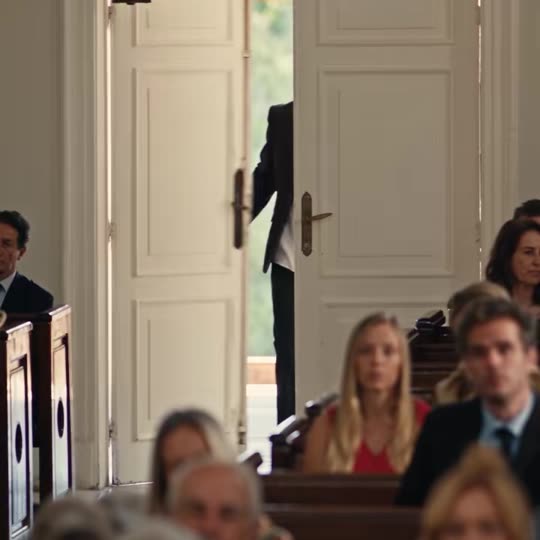
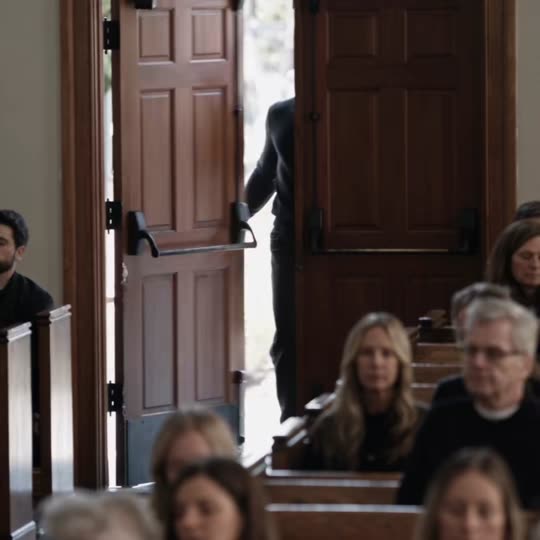
Four steps
- Choose a photo where your face is sharp and you look at the camera, head and shoulders or more, alone in the frame.
- Upload it in the generator above and pick 480p or 720p.
- Generate. The model re-shoots the church scene shot by shot with you in the lead and keeps the church, the mourners and the timing.
- Download the 20-second clip and post it on TikTok or Reels with the trending Damon sound.
Why the face goes wrong
| What you see | Likely cause | Fix |
|---|---|---|
| Looks like a different man | Small or blurry face in the photo | Use a sharper photo where your face fills more of the frame |
| Smirk looks off-camera | Photo taken looking sideways | Pick a photo looking into the lens |
| Two faces blend | Group photo | Crop to one person |
| Waxy skin | Beauty filter or heavy edit | Use an unfiltered photo |
What changes and what stays
From your photo: face, eyes, hair, skin tone, facial hair and build. From the trend clip: the white church, the mourners turning around, the holy water font, the sign of the cross, the camera angles and every cut. Your outfit comes from your photo too, so wear dark clothes if you want the full Damon look.
Other ways people make it
| Way | What you do | Good for |
|---|---|---|
| CapCut template | Open a template link from a tutorial, add photos in the CapCut app | Free or cheap if you already use CapCut; some templates are paid and quality depends on the template |
| PixVerse template | Use the Damon template in the PixVerse app | Mobile users who already have PixVerse credits |
| This site | Upload one photo in the browser | No app, no template hunting, the church scene shot by shot |
Posting tips
- The clip is square like the original; TikTok and Reels show it with a blurred backdrop, just like the trend posts.
- Add the sound inside the app. Most creators use @daamonnx's original sound from the church clip.
- Hashtags people use: #damonsalvatore #DamonSalvatoreAITrend #vampirediaries #tvd.
Where the trend comes from: the Damon Salvatore AI trend explained.